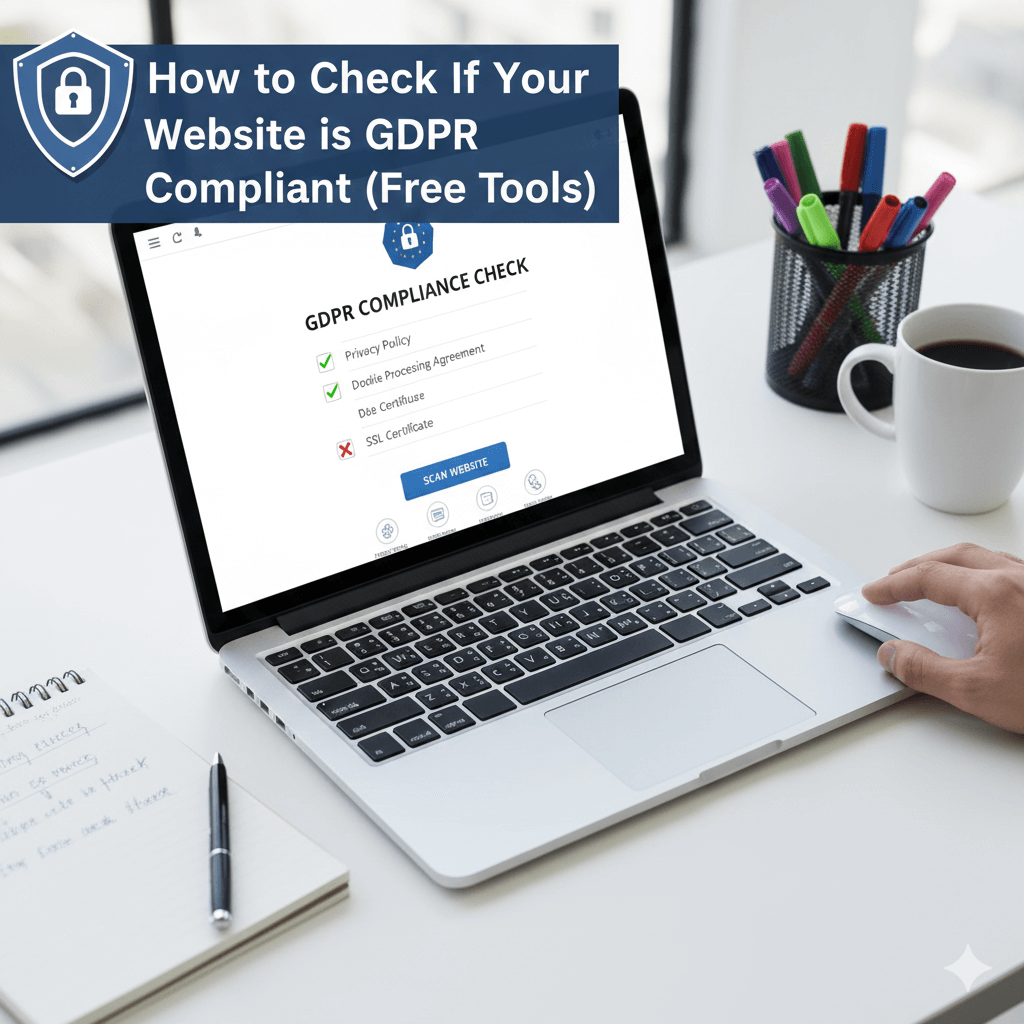
Wondering how to check if GDPR compliant your website is? You're not alone. Thousands of business owners ask "how to know if GDPR applies" and "how to get GDPR compliance" every month. This comprehensive guide shows you exactly how to verify your website's compliance status using free tools.
Does GDPR Apply to Your Website?
How to Know If GDPR Applies
GDPR applies if you meet ANY of these criteria:
- ✅ Your website is accessible from the EU
- ✅ You have European customers or visitors
- ✅ You process personal data of EU residents
- ✅ You offer goods/services to EU market
- ✅ You monitor behavior of EU individuals
Key point: Your company's location doesn't matter. If EU residents can visit your site, GDPR applies. Even a small blog with 10 European visitors per month needs compliance.
What Personal Data Does GDPR Cover?
GDPR protects any data that can identify a person:
- Email addresses
- Names and phone numbers
- IP addresses (yes, these are personal data!)
- Cookie identifiers
- Location data
- Device fingerprints
If you use Google Analytics, Facebook Pixel, or any tracking tools, you're processing personal data and need GDPR compliance.
Free GDPR Compliance Test: 5 Quick Checks
1. Run a Free GDPR Test Scanner
The fastest way to check if GDPR compliant is using an automated scanner. Our free gdpr test tool analyzes your website in 60 seconds.
What it checks:
- Cookie detection and categorization
- Consent banner presence and functionality
- Privacy policy completeness
- Data collection practices
- Third-party tracking scripts
🔍 Run Free GDPR Test (60 seconds) →
2. Check Your Cookie Banner Requirements
GDPR has strict cookie banner requirements. Your banner must:
- Appear BEFORE cookies load - No tracking until consent
- Provide clear choices - Accept All, Reject All, Manage
- List cookie purposes - What each category does
- Allow granular control - Users choose which cookies
- No pre-checked boxes - Users must actively consent
- Equal prominence - Accept and Reject same size/color
What Is a Cookie Banner?
A cookie banner is a notification that appears when someone visits your website, informing them about cookie usage and requesting consent. Under GDPR, you cannot use tracking cookies (analytics, marketing) without explicit user consent.
Common cookie banner mistakes:
- ❌ "By continuing, you accept cookies" (implied consent - not allowed)
- ❌ Pre-ticked consent boxes
- ❌ Cookie wall ("Accept or leave")
- ❌ Loading tracking before consent
- ❌ No option to reject cookies
Need a cookie banner? Generate free GDPR-compliant banner →
3. Verify Cookie Blocking
Most websites fail GDPR because they load tracking cookies BEFORE getting consent.
How to test:
- Open your website in Incognito mode
- Open Developer Tools (F12)
- Go to "Application" → "Cookies"
- Before clicking anything on your cookie banner, check:
- Are Google Analytics cookies loaded? ❌ FAIL
- Are Facebook Pixel cookies loaded? ❌ FAIL
- Only essential cookies loaded? ✅ PASS
If you see "_ga", "_gid", "_fbp" or similar tracking cookies BEFORE accepting the banner, you're violating GDPR.
4. Check Privacy Policy Requirements
Your privacy policy must include:
- Controller information - Who you are, contact details
- Data collected - What personal data you process
- Legal basis - Why you process it (consent, contract, etc.)
- Purpose - How you use the data
- Retention - How long you keep it
- User rights - Access, deletion, portability, objection
- Data transfers - If you send data outside EU
- Complaints - How to contact supervisory authority
Missing ANY of these? Your privacy policy isn't GDPR-compliant.
Generate compliant privacy policy free →
5. Test User Rights Implementation
GDPR requires you to handle user requests:
- Right to access - Users can download their data
- Right to deletion - Users can delete their account
- Right to portability - Users can export data
- Right to object - Users can stop processing
How to test:
- Try to find "Download my data" option
- Look for "Delete my account" button
- Check if there's a clear process for data requests
If you don't have mechanisms for these rights, you're not compliant.
Step-by-Step: How to Get GDPR Compliance
Week 1: Cookie Compliance
Day 1-2: Audit your cookies
- List all cookies on your site
- Categorize: Essential, Analytics, Marketing
- Document purpose and duration
Day 3-4: Install cookie banner
- Choose solution (free generator or paid tool)
- Configure cookie categories
- Test consent flow
Day 5: Block cookies before consent
- Move tracking scripts to consent handler
- Test that nothing loads until consent
- Verify with browser DevTools
Week 2: Privacy Documentation
Day 1-2: Create privacy policy
- Use privacy policy generator
- Customize for your business
- Add to footer of every page
Day 3: Update all forms
- Add unchecked consent checkboxes
- Link to privacy policy
- Separate consent for different purposes
Day 4-5: Cookie policy page
- List all cookies with details
- Explain how to manage preferences
- Link from privacy policy
Week 3: User Rights & Security
Day 1-2: Implement data export
- Create download portal
- Export data in JSON/CSV format
- Test with real account
Day 3: Account deletion
- Add "Delete Account" button
- Implement data deletion
- Keep legally required records only
Day 4-5: Security measures
- Enable HTTPS (SSL certificate)
- Encrypt passwords (bcrypt)
- Regular backups
- Access controls
Free Tools to Check GDPR Compliance
1. Guardian of Compliance (Recommended)
Best for: Complete GDPR analysis
Features:
- 60-second automated scan
- Multi-jurisdiction (GDPR, CCPA, PIPEDA, LGPD)
- Detailed compliance report
- Cookie banner generator included
- No signup required
Try Guardian of Compliance Free →
2. Browser Developer Tools
Best for: Manual cookie inspection
How to use:
- Press F12 to open DevTools
- Go to "Application" → "Cookies"
- Check which cookies are loaded
- Verify they match your cookie banner
3. Google Privacy Checkup
Best for: Google services compliance
Checks:
- Google Analytics settings
- Data sharing preferences
- Data retention periods
4. Cookie Scanners
Free options:
- Cookie Metrix (Browser extension)
- Cookiebot Scanner (3 free scans)
- Guardian of Compliance Scanner (Unlimited free)
Understanding Cookie Banner Requirements
What Makes a Cookie Banner GDPR-Compliant?
Required elements:
- Clear information
- Who you are
- What cookies you use
- Why you use them
- How long they last
- Granular choices
- Essential cookies (required, always on)
- Analytics cookies (optional)
- Marketing cookies (optional)
- Preference cookies (optional)
- Equal options
- "Accept All" button
- "Reject All" button (same size/color)
- "Manage" or "Customize" option
- No dark patterns
- No pre-checked boxes
- No hiding reject button
- No making reject harder to find
- No continuing to site without choice
- Easy to change
- Footer link to "Cookie Settings"
- Can withdraw consent anytime
- Same process as giving consent
Cookie Banner Implementation Checklist
Use this checklist to verify your banner:
- ☐ Banner appears immediately on page load
- ☐ Banner appears BEFORE any tracking cookies
- ☐ Clear explanation of cookie usage
- ☐ Link to full cookie policy
- ☐ Separate cookie categories listed
- ☐ Toggle switches for each category
- ☐ "Accept All" button present
- ☐ "Reject All" button present (equal prominence)
- ☐ "Manage" or "Customize" option present
- ☐ No pre-checked boxes
- ☐ Consent choice is saved
- ☐ Banner doesn't reappear after choice
- ☐ Footer has "Cookie Settings" link
- ☐ Users can change preferences later
- ☐ Mobile-responsive design
- ☐ Accessible (keyboard navigation, screen readers)
Common GDPR Compliance Mistakes
Mistake 1: Implied Consent
❌ Wrong: "By using this website, you consent to cookies"
✅ Right: User must click "Accept" button
Why it's wrong: GDPR requires explicit consent - a clear affirmative action. Continuing to browse is not explicit consent.
Mistake 2: Cookie Wall
❌ Wrong: "Accept cookies to continue" (no reject option)
✅ Right: Provide genuine choice to reject
Why it's wrong: Consent must be freely given. Forcing acceptance to access content is not free consent.
Mistake 3: Pre-ticked Boxes
❌ Wrong: Marketing consent checkbox already ticked
✅ Right: All optional boxes unticked by default
Why it's wrong: Consent requires an active opt-in. Pre-ticked boxes suggest default consent, which GDPR prohibits.
Mistake 4: Bundled Consent
❌ Wrong: Single checkbox: "I accept all cookies and privacy policy"
✅ Right: Separate checkboxes for each purpose
Why it's wrong: Consent must be specific and granular. Users should control each purpose separately.
Mistake 5: Loading Before Consent
❌ Wrong: Google Analytics loaded before user clicks banner
✅ Right: No tracking until user accepts
Why it's wrong: You cannot track users before obtaining consent. Even page views count as tracking.
How Long Does GDPR Compliance Take?
Small business (1-10 pages): 2-3 weeks
- Week 1: Cookie banner + blocking
- Week 2: Privacy policy + forms
- Week 3: User rights + testing
Medium business (10-50 pages): 4-6 weeks
- Additional time for multiple forms
- More complex cookie setup
- Team training required
E-commerce site: 6-8 weeks
- Payment processor integration
- Customer data handling
- Order processing compliance
- Third-party vendor agreements
GDPR Compliance Cost
DIY approach: $0-50/month
- Free scanner tools
- Free cookie banner generator
- Free privacy policy template
- Time investment: 20-40 hours
Automated tools: $8-100/month
- Guardian of Compliance: $8-35/month
- Cookiebot: $99-249/month
- OneTrust: $500+/month
- Time investment: 5-10 hours
Legal consultation: $2,000-10,000+
- Privacy lawyer review
- Custom policy drafting
- Ongoing compliance monitoring
Next Steps: Get Compliant Today
Step 1: Run free GDPR test
Identify your compliance gaps in 60 seconds.
🔍 Free GDPR Test (No Signup) →
Step 2: Fix critical issues
Install cookie banner and block tracking cookies.
🍪 Generate Free Cookie Banner →
Step 3: Create privacy policy
Use our free generator for GDPR-compliant templates.
📄 Generate Privacy Policy Free →
Related Guides:
Need Help with Compliance?
Use my free tool to check your website's compliance status.
Related Articles
GDPR Fines 2025: What Every Website Owner Needs to Know
Learn about the latest GDPR enforcement trends and how to avoid costly penalties with proper compliance measures.
Cookie Banner Best Practices: Design for Compliance and UX
Discover how to create cookie banners that meet legal requirements while providing excellent user experience.